Timesheet Template: A Comprehensive Guide
A timesheet template is a pre-designed document used to track the amount of time an employee spends on various tasks or projects during a specific period. It serves as a crucial tool for payroll processing, project management, and resource allocation. Utilizing a well-structured timesheet template streamlines the time tracking process, reduces errors, and ensures accurate record-keeping. This guide explores the benefits, key components, different types, and best practices for effectively using a timesheet template.
Benefits of Using a Timesheet Template
- Accurate Payroll: Timesheets provide a reliable record of hours worked, ensuring employees are paid correctly and on time. This eliminates disputes and fosters trust.
- Improved Project Management: By tracking time spent on each project, managers can gain insights into project progress, identify potential delays, and allocate resources more effectively.
- Enhanced Resource Allocation: Timesheets help identify how employees are spending their time, allowing for better allocation of resources and optimization of workflows.
- Simplified Invoicing: For businesses that bill clients based on hourly rates, timesheets provide the necessary documentation for accurate and transparent invoicing.
- Compliance and Auditing: Timesheets serve as evidence of hours worked, which is essential for compliance with labor laws and for auditing purposes.
- Increased Productivity: The act of tracking time can encourage employees to be more mindful of their work habits and identify areas for improvement.
- Reduced Errors: Using a pre-formatted template minimizes the risk of calculation errors and omissions, leading to more accurate data.
Key Components of a Timesheet Template
A comprehensive timesheet template typically includes the following elements:
- Employee Information: Full name, employee ID, department, and other relevant identifying information.
- Pay Period: Clearly defined start and end dates for the timesheet.
- Date: A column for recording the date on which the work was performed.
- Project/Task: A field to specify the project or task to which the employee’s time was dedicated. This may include client names or project codes.
- Hours Worked: A column to record the number of hours worked on each project or task for each day.
- Regular Hours: The number of standard work hours per day.
- Overtime Hours: The number of hours worked beyond the standard work hours, typically paid at a higher rate.
- Break Time: A section to record the duration of breaks taken during the workday.
- Total Hours: The sum of all hours worked during the pay period.
- Comments/Notes: A space for employees to provide brief descriptions of the work performed or any relevant details.
- Approval Section: A space for the employee and supervisor to sign and date the timesheet, indicating approval.
Types of Timesheet Templates
Timesheet templates come in various formats to suit different organizational needs. Here are some common types:
- Manual Timesheet Templates (Paper-based): These are traditional paper forms that employees fill out manually. While simple, they can be prone to errors and require manual data entry.
- Spreadsheet Timesheet Templates (Excel, Google Sheets): These templates offer the convenience of electronic recording and automatic calculations. They can be customized and shared easily.
- Digital Timesheet Templates (Online Software): These are cloud-based or software-based solutions that provide advanced features such as automated reminders, real-time tracking, and integration with payroll systems.
Choosing the Right Timesheet Template
Selecting the appropriate timesheet template depends on factors such as:
- Company Size: Smaller companies may find spreadsheet templates sufficient, while larger organizations may benefit from digital solutions.
- Number of Employees: A large workforce necessitates a more robust system for managing and processing timesheets.
- Project Complexity: Complex projects with numerous tasks require templates with detailed project tracking capabilities.
- Budget: Digital timesheet software can involve subscription fees, while manual and spreadsheet templates are generally more cost-effective.
- Reporting Needs: Organizations that require detailed reporting on time allocation should opt for templates with advanced reporting features.
- Integration Requirements: If integration with payroll or accounting systems is needed, a digital timesheet solution is often the best choice.
Best Practices for Using Timesheet Templates
To maximize the effectiveness of timesheet templates, consider these best practices:
- Provide Clear Instructions: Ensure employees understand how to properly fill out the timesheet, including which projects/tasks to include and how to record time accurately.
- Establish a Consistent Time Tracking Schedule: Encourage employees to record their time daily or at least weekly to minimize errors and improve accuracy.
- Implement an Approval Process: Require supervisors to review and approve timesheets to ensure accuracy and prevent fraud.
- Store Timesheets Securely: Maintain timesheets in a secure location, whether physical or digital, for auditing and compliance purposes.
- Regularly Review and Update Templates: Periodically review the timesheet template to ensure it meets the organization’s evolving needs and regulatory requirements.
- Provide Training: Offer training to employees on the proper use of the timesheet template and any related software or systems.
- Use Technology Where Appropriate: Explore digital timesheet solutions to automate the time tracking process and improve efficiency.
Conclusion
A well-designed and effectively implemented timesheet template is an invaluable asset for any organization. By accurately tracking employee time, businesses can streamline payroll, improve project management, optimize resource allocation, and ensure compliance with labor laws. Choosing the right template and following best practices will help maximize the benefits of time tracking and contribute to overall organizational success.
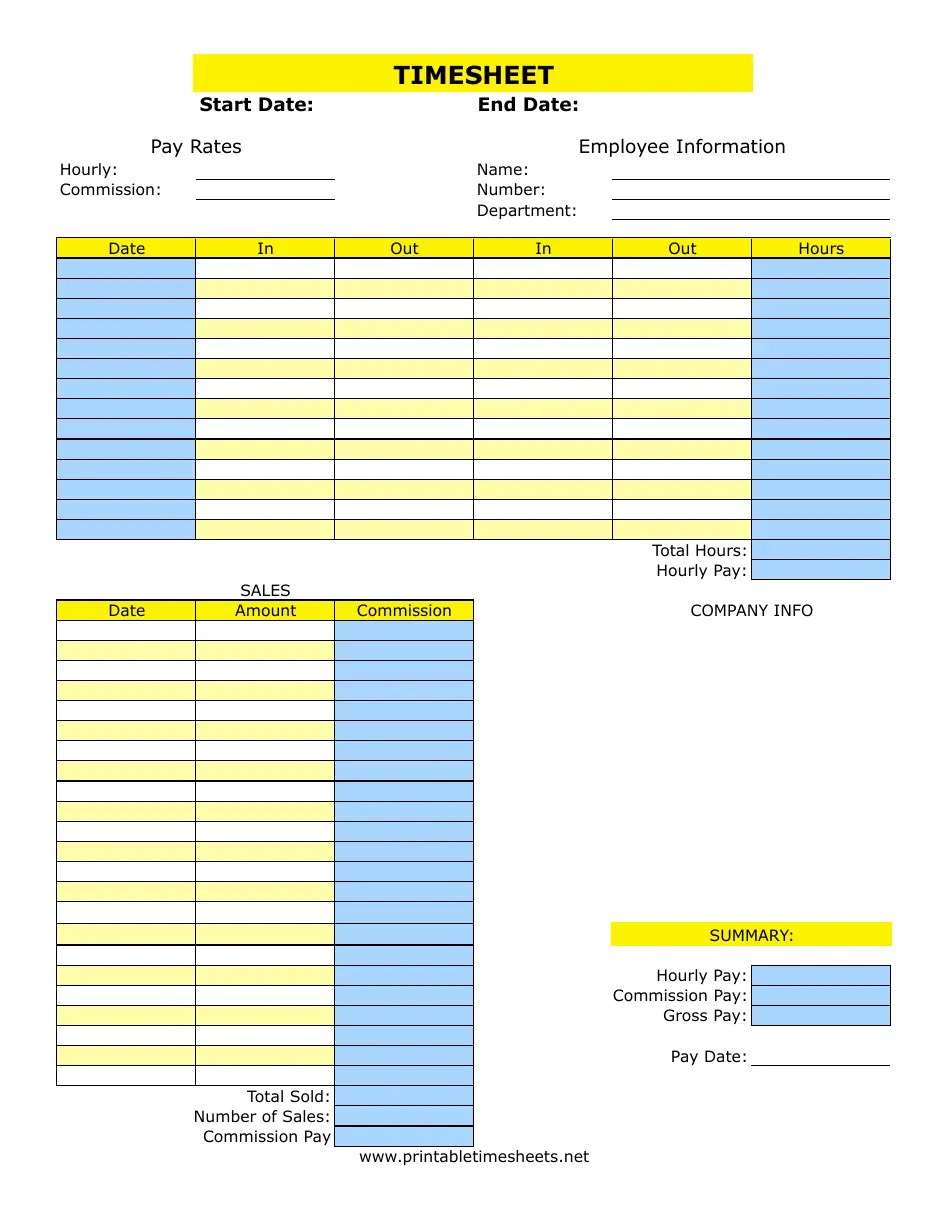 950×1230 timesheet template printable templateroller from www.templateroller.com
 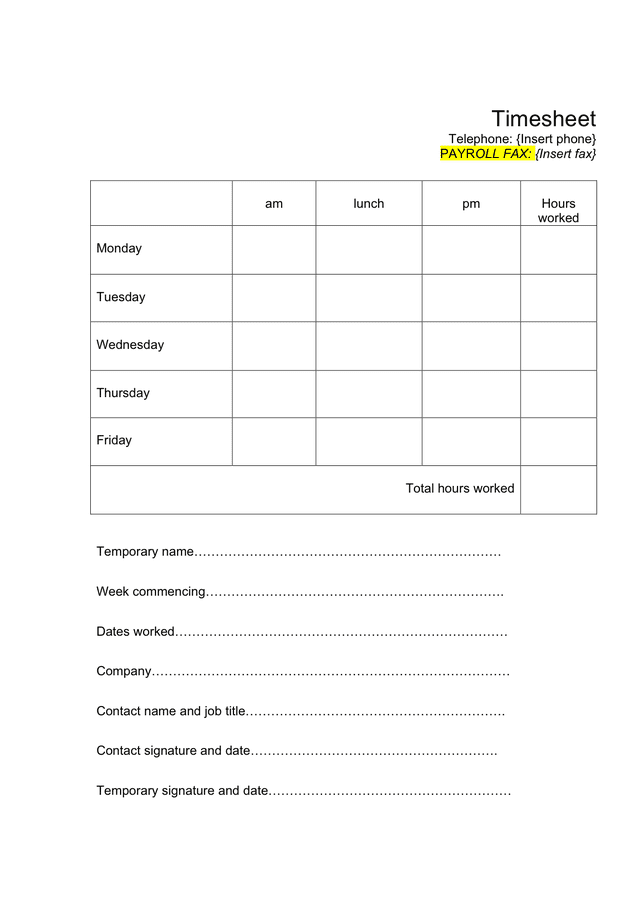 636×900 timesheet template word formats from www.dexform.com
 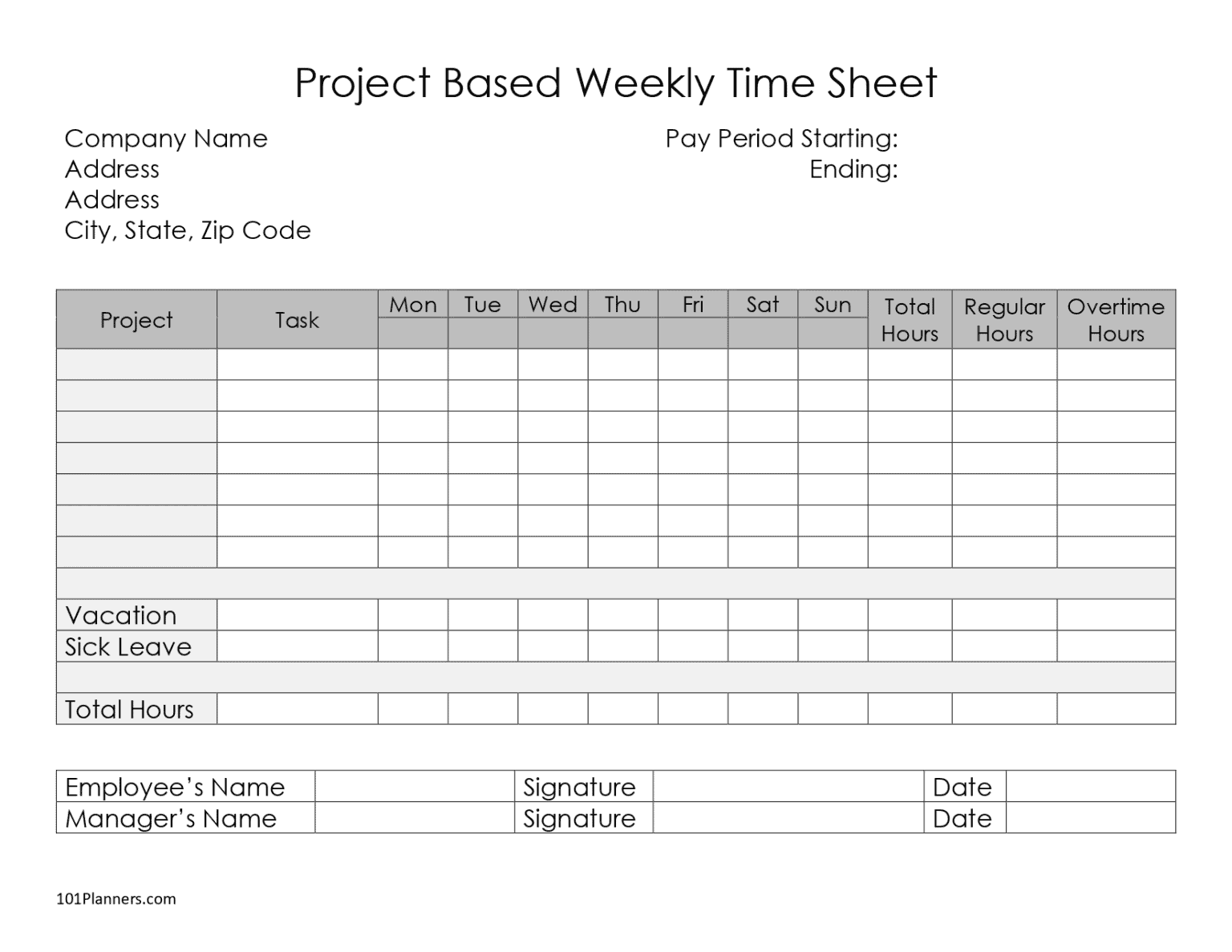 1536×1187 timesheet template printables instant from www.101planners.com
  1824×2500 timesheet templates excel templatelab from templatelab.com
  1000×1000 timesheet template business mentor from westernmotodrags.com
  2500×1572 timesheet time card templates template lab from templatelab.com


Tidak ada komentar:
Posting Komentar