Understanding the Issue Log Template
An issue log template is a critical document for project management. It’s a centralized repository for recording, tracking, and managing problems, concerns, questions, and roadblocks that arise during a project’s lifecycle. Using a well-structured issue log template ensures that issues are identified, documented, assigned, and resolved effectively, minimizing potential disruptions and keeping the project on track. Think of it as a proactive problem-solving tool.
Why Use an Issue Log Template?
Several benefits stem from employing an issue log template:
- Centralized Tracking: Provides a single point of reference for all issues, eliminating the need to search through emails, meeting notes, or disparate documents.
- Improved Communication: Facilitates clear communication among team members, stakeholders, and management regarding issues and their progress.
- Enhanced Accountability: Assigns responsibility for resolving issues, ensuring that someone is accountable for each item.
- Proactive Problem Solving: Encourages early identification and resolution of issues, preventing them from escalating into larger problems.
- Better Decision Making: Provides valuable data for informed decision-making, allowing project managers to assess the impact of issues and prioritize resolution efforts.
- Reduced Risk: Minimizes the risk of project delays, budget overruns, and other negative consequences by addressing issues promptly.
- Historical Record: Serves as a valuable historical record for future projects, providing insights into common issues and effective resolution strategies.
Key Components of an Issue Log Template
A typical issue log template includes the following key elements:
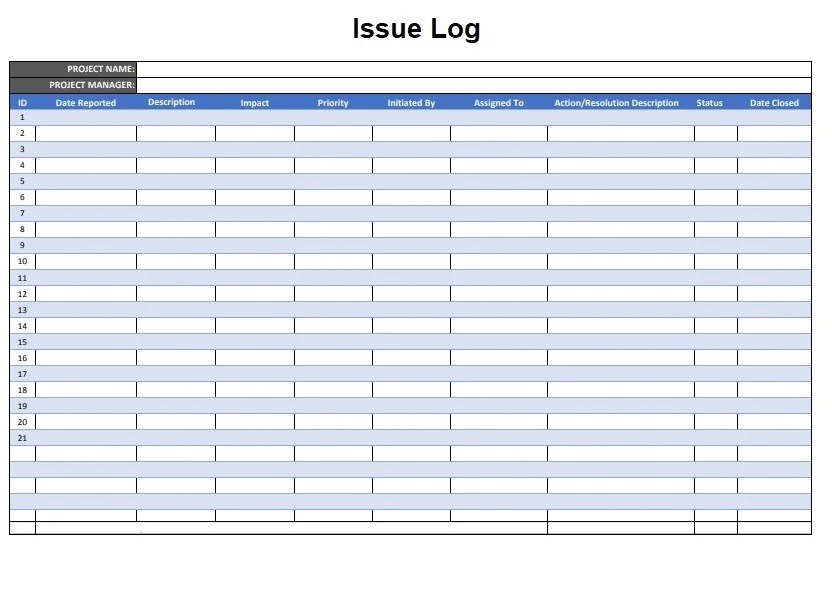
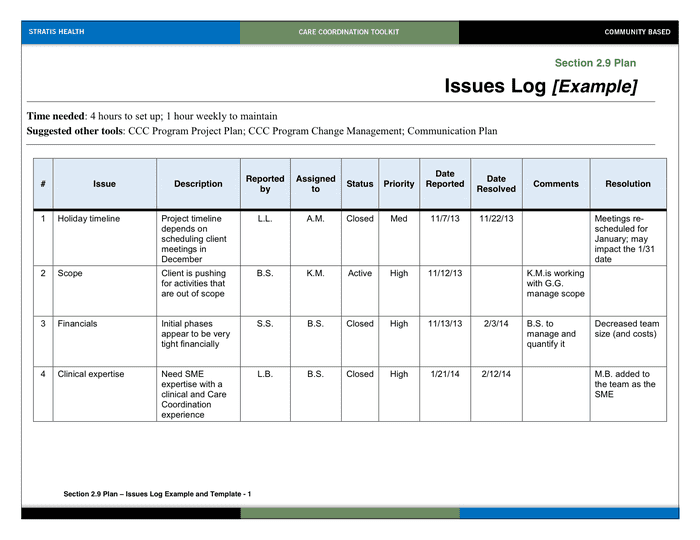
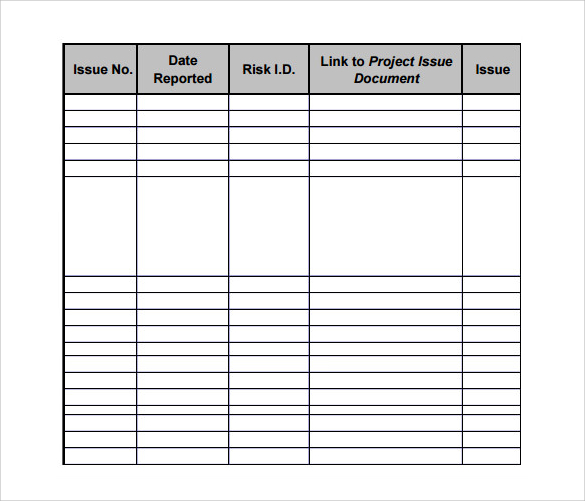
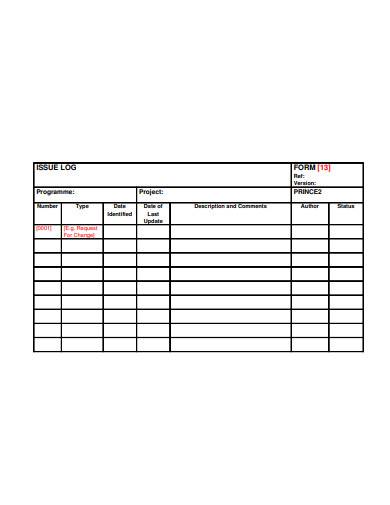
- Issue ID: A unique identifier for each issue. This helps in referencing and tracking the issue throughout its lifecycle. (e.g., ISSUE-001, ISSUE-002).
- Date Raised: The date on which the issue was identified and logged.
- Raised By: The name of the person who reported the issue.
- Issue Description: A clear and concise description of the issue. This should include enough detail to understand the problem and its potential impact. Be specific and avoid ambiguity.
- Impact: An assessment of the potential impact of the issue on the project’s schedule, budget, scope, or quality. Categorize the impact as high, medium, or low.
- Priority: The urgency with which the issue needs to be addressed. Categorize the priority as critical, high, medium, or low. The priority should be aligned with the impact.
- Assigned To: The name of the person who is responsible for resolving the issue.
- Status: The current status of the issue. Common status options include:
- Open: The issue has been identified but not yet addressed.
- In Progress: Work is being done to resolve the issue.
- Resolved: The issue has been resolved.
- Closed: The resolution has been verified and the issue is considered closed.
- Deferred: The issue is being deferred to a later stage of the project or to another team.
- Cancelled: The issue is no longer relevant or applicable.
- Resolution Description: A detailed explanation of how the issue was resolved. This should include the steps taken, the date of resolution, and any relevant documentation.
- Resolution Date: The date on which the issue was resolved.
- Notes: Any additional information related to the issue, such as comments, updates, or relevant links to documents.
Creating and Using an Effective Issue Log Template
Follow these steps to create and use an effective issue log template:
- Choose a Tool: Select a suitable tool for creating and managing the issue log. Options include spreadsheets (Excel, Google Sheets), project management software (Asana, Jira, Trello), or dedicated issue tracking systems.
- Customize the Template: Tailor the template to your specific project needs. Add or remove columns as necessary to capture relevant information.
- Train Your Team: Ensure that all team members are trained on how to use the issue log template and understand its importance.
- Establish a Process: Define a clear process for identifying, logging, and resolving issues. This should include who is responsible for each step and how issues will be escalated if necessary.
- Regularly Review and Update: Review the issue log regularly to monitor progress and identify any potential roadblocks. Update the log with the latest information as issues are resolved.
- Communicate Effectively: Keep all stakeholders informed about the status of issues and their impact on the project.
- Learn from Past Issues: Analyze past issues to identify patterns and prevent similar issues from recurring in future projects.
Example Scenario
Let’s say a project team is developing a new website. During the testing phase, a team member discovers that the website is not displaying correctly in certain browsers. This issue would be logged in the issue log with the following information:
- Issue ID: ISSUE-005
- Date Raised: 2023-10-27
- Raised By: John Doe
- Issue Description: Website not displaying correctly in Internet Explorer 11 and older versions of Safari.
- Impact: Medium – Affects user experience for a segment of users.
- Priority: High – Needs to be addressed before launch.
- Assigned To: Jane Smith (Front-end Developer)
- Status: In Progress
- Resolution Description: (To be filled after resolution)
- Resolution Date: (To be filled after resolution)
- Notes: Investigating compatibility issues with CSS frameworks.
By consistently using an issue log template, project teams can proactively manage challenges, maintain project momentum, and deliver successful outcomes.
 1637×756 issue log template exceltemplatesorg from www.exceltemplates.org
  832×602 issue log templates printable word excel formats from www.logtemplates.org
  3300×2550 issue log template from wordtemplate.net
  600×686 issue log template log templates from www.logtemplates.org
  700×540 issue log template documents word excel from www.dexform.com
  682×483 issue log templates word excel formats from www.sampleformats.org
  700×540 issue log template word formats from www.dexform.com
  600×628 issue log samples ms word from www.sampletemplates.com
  1024×720 issue log issue log template issues log from myexceltemplates.com
  872×489 sample issue log templates printable samples from www.printablesample.com
  585×501 log templates sample templates from sampletemplates.com
  946×425 issue log excel log project management from www.techno-pm.com
  390×505 issues log samples from www.sampletemplates.com
  0 x 0 issue log template youtube from www.youtube.com
  465×488 issue log template report design template list template templates from www.pinterest.at
  465×488 issue log template crucial document helps project from www.pinterest.ca
  600×686 sample templates issue log sample documents word badc from www.pinterest.com


Tidak ada komentar:
Posting Komentar