Creating a Powerful Action Plan Template
An action plan template is a crucial tool for turning goals and ideas into reality. It provides a structured framework for outlining the steps needed to achieve a desired outcome, fostering accountability, and tracking progress. A well-designed template ensures everyone involved is on the same page and working towards a common objective.
Key Components of an Effective Action Plan Template
While specific templates may vary depending on the project or objective, certain key components are essential for creating a comprehensive and actionable plan:
1. Goal/Objective Statement
Clearly define the overall goal you aim to achieve. This statement should be specific, measurable, achievable, relevant, and time-bound (SMART). A vague goal leads to a vague plan. For example, instead of “Improve customer satisfaction,” try “Increase customer satisfaction scores by 15% within the next quarter, as measured by post-service surveys.”
2. Tasks/Actions
Break down the overarching goal into smaller, manageable tasks or actions. These are the specific steps you’ll take to reach your objective. List each task individually, using action verbs to describe what needs to be done. For example: “Conduct customer survey,” “Analyze survey results,” “Implement changes based on feedback.”
3. Task Description
Expand on each task with a brief description. This provides context and clarifies exactly what the task entails. Include any relevant details or considerations. For instance, for “Conduct customer survey,” the description might be “Develop a 10-question online survey focusing on recent customer service interactions. Target all customers who contacted support in the past month.”
4. Responsibility/Owner
Assign a specific person or team responsible for each task. This ensures accountability and prevents tasks from falling through the cracks. Clearly indicate who is in charge of seeing the task through to completion. If multiple individuals are involved, specify who the primary point of contact is.
5. Start Date
Establish a clear start date for each task. This helps maintain momentum and prevents procrastination. Consider the dependencies between tasks – some may need to be completed before others can begin. The start date should be realistic and take into account potential resource constraints.
6. Due Date/Timeline
Set a deadline or due date for each task. This creates a sense of urgency and helps keep the project on track. The timeline should be realistic and achievable, considering the complexity of the task and the availability of resources. Use a calendar or project management tool to visualize the timeline.
7. Resources Required
Identify any resources needed to complete each task, such as budget, personnel, equipment, software, or information. Identifying these resources upfront helps avoid delays and ensures that everything necessary is available when needed. Be specific about the quantity and type of resources required.
8. Status/Progress
Include a field to track the progress of each task. This can be a simple percentage complete, a status indicator (e.g., Not Started, In Progress, Completed, On Hold), or a more detailed description of the current state. Regularly update the status to monitor progress and identify potential roadblocks.
9. Dependencies
Identify any tasks that depend on the completion of other tasks. This helps visualize the critical path and ensures that tasks are completed in the correct order. Clearly indicate which tasks must be finished before others can begin.
10. Notes/Comments
Include a section for notes or comments to provide additional context, track changes, or document any challenges encountered. This section can be used to record important decisions, modifications to the plan, or any other relevant information. It serves as a valuable historical record of the project’s progress.
Benefits of Using an Action Plan Template
- Improved Organization: Provides a structured framework for managing tasks and resources.
- Enhanced Accountability: Clearly assigns responsibility for each task, promoting ownership.
- Better Time Management: Establishes timelines and deadlines, ensuring timely completion of tasks.
- Increased Productivity: Breaks down large goals into smaller, manageable steps, making them less daunting.
- Effective Communication: Facilitates clear communication and collaboration among team members.
- Improved Monitoring: Allows for easy tracking of progress and identification of potential problems.
- Enhanced Decision-Making: Provides data to inform decisions and adjust the plan as needed.
Customizing Your Action Plan Template
While the components listed above are essential, you should customize your action plan template to fit your specific needs and objectives. Consider the following:
- Project Complexity: For complex projects, you may need to add more detailed fields or sections.
- Team Size: Larger teams may require more sophisticated collaboration and communication tools.
- Industry Standards: Some industries have specific requirements for action planning.
- Personal Preferences: Adapt the template to suit your preferred style and working methods.
Tools for Creating Action Plan Templates
Numerous tools are available for creating and managing action plan templates, including:
- Spreadsheet Software: Microsoft Excel, Google Sheets
- Project Management Software: Asana, Trello, Monday.com
- Word Processing Software: Microsoft Word, Google Docs
- Dedicated Action Planning Apps: Many specialized apps are designed specifically for action planning.
Choose the tool that best suits your needs and resources. Spreadsheets are a good option for simple plans, while project management software is better for more complex projects with multiple stakeholders.
By utilizing a well-designed action plan template, you can significantly increase your chances of achieving your goals, fostering teamwork, and driving success.
 1767×2500 action plan templates corrective emergency business from templatelab.com
 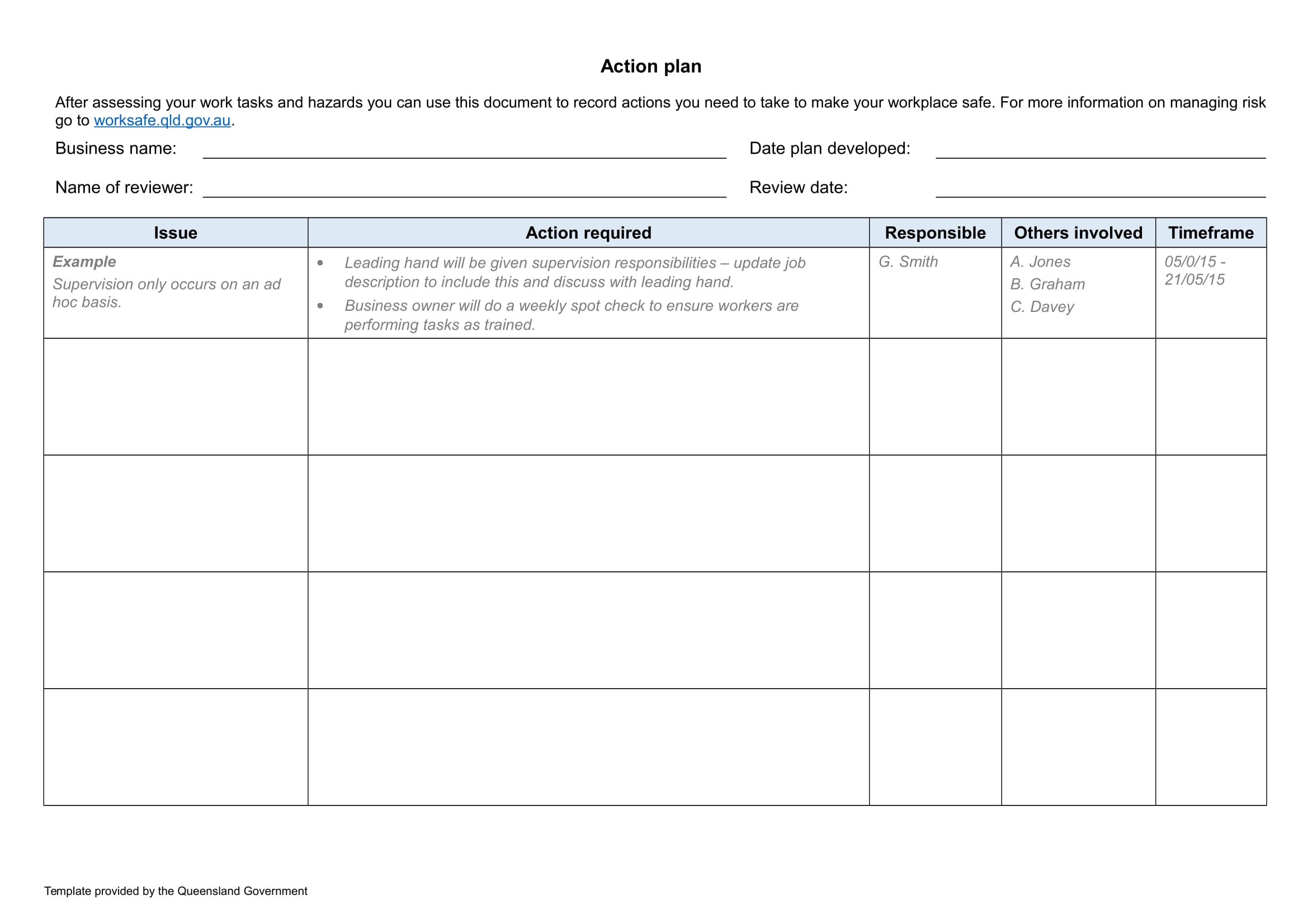 2339×1653 action plan examples ms word pages google docs examples from www.examples.com
  644×873 effective action plan templates from stunningmotivation.com
  2500×1767 top action plan templates word excel templates from www.docspile.com
  2836×1758 action plan template managers excel templates from www.exceltemplates.com
  794×1058 action plan template templates allbusinesstemplatescom from www.allbusinesstemplates.com
  1650×1275 pin school action plan format from www.pinterest.co.uk
  900×706 action plan templates from www.dailylifedocs.com
  585×616 sample project action plan templates ms word from www.sampletemplates.com
  768×1024 action plan template from houseplancontemporary.blogspot.com
  1650×1275 work action plan examples format examples from www.examples.com
  2772×1758 action plan template employee excel templates from www.exceltemplates.com
  1024×1446 action plan templates edit templatenet from www.template.net
  2794×1742 action plan template education excel templates from www.exceltemplates.com
  792×612 action plan templates excel formats from www.wordstemplates.com
 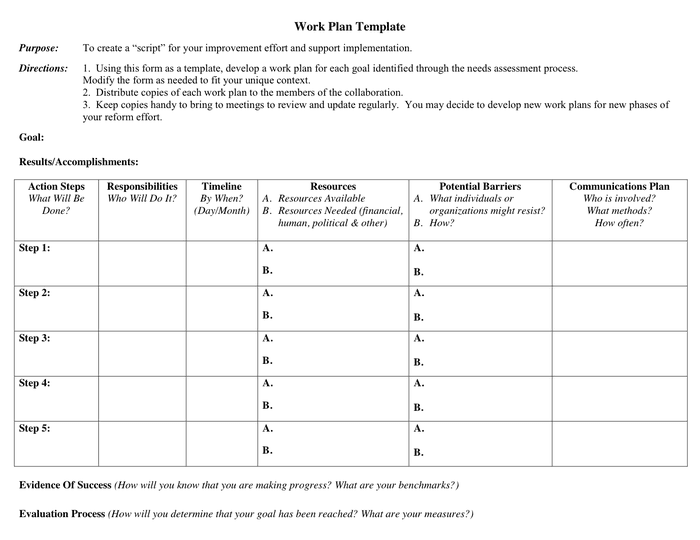 700×540 action plan template word formats from www.dexform.com
  821×614 action plan template word templates from www.wordstemplates.org


Tidak ada komentar:
Posting Komentar