
Weight Management Chart: A Comprehensive Guide
A weight management chart is a visual tool that tracks your progress towards your weight loss or weight gain goals. It provides a tangible representation of your journey, helping you stay motivated, identify patterns, and make necessary adjustments along the way. While there's no single "perfect" weight management chart, understanding its components and tailoring it to your individual needs is key to its effectiveness.
Key Components of a Weight Management Chart
- Timeframe: Define the period you want to track. This could be daily, weekly, or monthly. Weekly is often a good balance, providing enough data without being overwhelming.
- Weight Measurements: This is the core of your chart. Record your weight at regular intervals (e.g., every Monday morning). Ensure you use the same scale, in the same location, under similar conditions (e.g., before breakfast).
- Target Weight: Clearly mark your desired weight. This serves as a visual goal and helps you stay focused. If you have a weight range in mind, indicate the upper and lower limits.
- Optional Metrics: Enhance your chart with additional relevant data:
- Body Measurements: Track changes in waist circumference, hip circumference, or other areas.
- Body Fat Percentage: If you have access to accurate body fat measurement tools, this can be a valuable indicator of progress.
- Calorie Intake: Record your daily or weekly calorie consumption. This helps you correlate your diet with weight changes.
- Exercise Duration and Intensity: Note the type, duration, and intensity of your physical activity.
- Food Journaling Notes: Briefly summarize your dietary choices for each day. This can help identify triggers or patterns that impact your weight.
- Mood/Energy Levels: Noting how you feel can reveal connections between your emotional state and your eating habits.
- Visual Representation: Choose a visual format that suits you. This could be a simple line graph, a bar chart, or a spreadsheet. The clearer and more intuitive the design, the easier it will be to interpret your progress.
Creating Your Weight Management Chart
You can create a weight management chart using various methods:
- Spreadsheet Software (e.g., Excel, Google Sheets): This is a flexible option that allows you to customize the chart's appearance and add formulas to calculate progress. You can easily create graphs based on your data.
- Paper and Pencil: A simple, low-tech option. Use graph paper to create a visual representation of your data. This is a good choice if you prefer a tactile approach.
- Weight Management Apps: Many apps offer built-in charting features. These often sync with smart scales and fitness trackers, automatically logging your data and generating visual reports. Examples include MyFitnessPal, Lose It!, and Noom.
- Online Templates: Numerous websites offer free, customizable weight management chart templates that you can download and use.
Using Your Weight Management Chart Effectively
The chart is only effective if you use it consistently and interpret the data thoughtfully:
- Consistent Tracking: Weigh yourself at the same time, under the same conditions, each time you measure. This ensures accurate and reliable data.
- Regular Updates: Update your chart regularly, ideally at your defined measurement intervals (e.g., weekly).
- Trend Analysis: Don't focus solely on day-to-day fluctuations. Look at the overall trend over several weeks or months. Is your weight generally trending downwards, upwards, or staying stable?
- Pattern Recognition: Use the optional metrics to identify patterns. For example, do you gain weight after weekends or during stressful periods? Do you lose weight when you increase your physical activity?
- Realistic Expectations: Understand that weight loss or gain is rarely linear. There will be plateaus and fluctuations. Don't get discouraged by minor setbacks.
- Adjustments and Modifications: Use the insights from your chart to make necessary adjustments to your diet and exercise routine. If you're not seeing progress, re-evaluate your approach.
- Professional Consultation: Consult with a registered dietitian or healthcare provider for personalized guidance on weight management. They can help you interpret your chart, develop a safe and effective plan, and address any underlying health concerns.
Benefits of Using a Weight Management Chart
- Increased Awareness: It helps you become more aware of your eating habits, exercise patterns, and their impact on your weight.
- Enhanced Motivation: Seeing your progress visually can be highly motivating and help you stay committed to your goals.
- Improved Accountability: Tracking your weight and other metrics holds you accountable for your actions and encourages consistency.
- Data-Driven Decision Making: It provides objective data to inform your weight management strategies.
- Early Problem Detection: It can help you identify potential problems or setbacks early on, allowing you to address them proactively.
Conclusion
A well-designed and consistently used weight management chart is a powerful tool for achieving your weight goals. By understanding its components, tracking your progress diligently, and analyzing the data effectively, you can gain valuable insights into your body and make informed decisions to optimize your weight management journey. Remember to tailor the chart to your individual needs and consult with healthcare professionals for personalized guidance.
 768×1024 weight chart template templates word excel from www.formsbirds.com
 600×372 printable weight chart from learncreatelove.com
855×634 ideal weight blog from www.ideal-weight-charts.com
 850×665 weight management mind map from store.iqmatrix.com
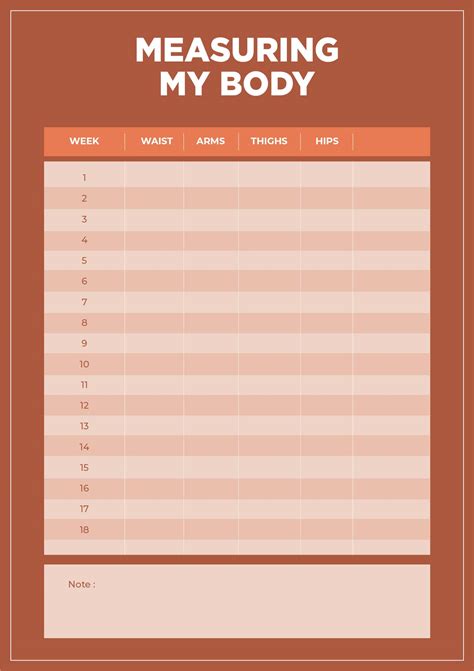 1355×1921 daily weight chart printables printablee from www.printablee.com
 540×720 chart from fitnessandhealthscience.org
 2251×2251 weekly weight chart printables printablee from www.printablee.com
 638×479 nutrition weight management from www.slideshare.net
 1022×650 weight chart samples from www.sample.net
 1616×1920 week chart weight loss printables printablee from www.printablee.com
 768×1024 weight chart template templates word excel from www.formsbirds.com
 600×372 printable weight chart from learncreatelove.com
 855×634 ideal weight blog from www.ideal-weight-charts.com
 850×665 weight management mind map from store.iqmatrix.com
 1355×1921 daily weight chart printables printablee from www.printablee.com
 540×720 chart from fitnessandhealthscience.org
 2251×2251 weekly weight chart printables printablee from www.printablee.com
 638×479 nutrition weight management from www.slideshare.net
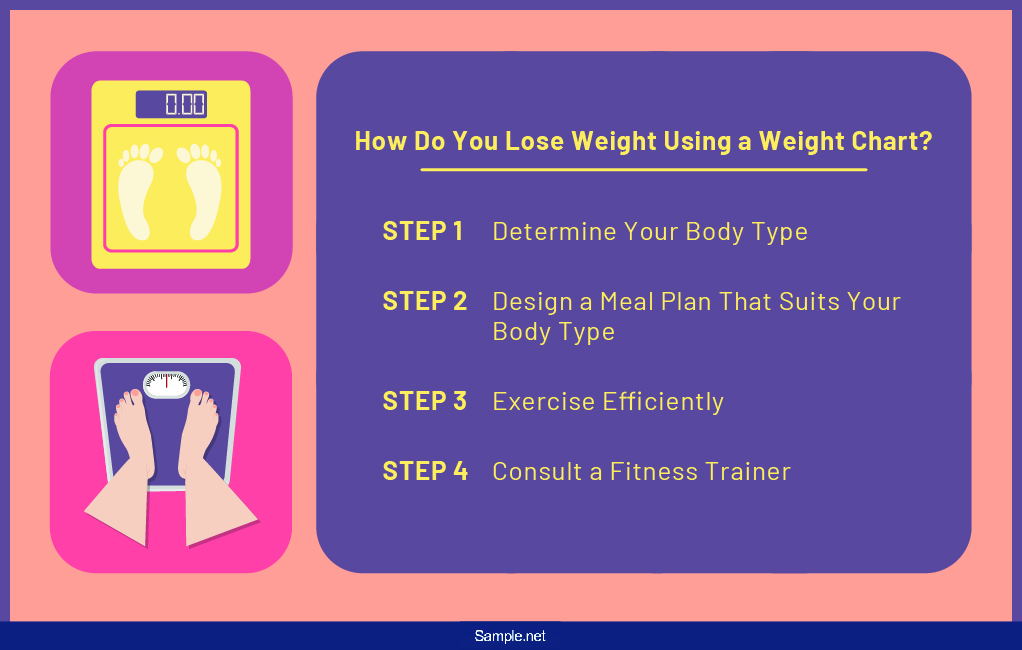 1022×650 weight chart samples from www.sample.net
 1616×1920 week chart weight loss printables printablee from www.printablee.com


Tidak ada komentar:
Posting Komentar